CompressO 4.3: JSON Contracts, Clips & Full CLI/MCP Parity
Configure presets and one-shot compressions with typed JSON contracts, split videos into stream-copied clips, add external audio tracks, limit CPU threads per run, and use all 22 MCP tools.
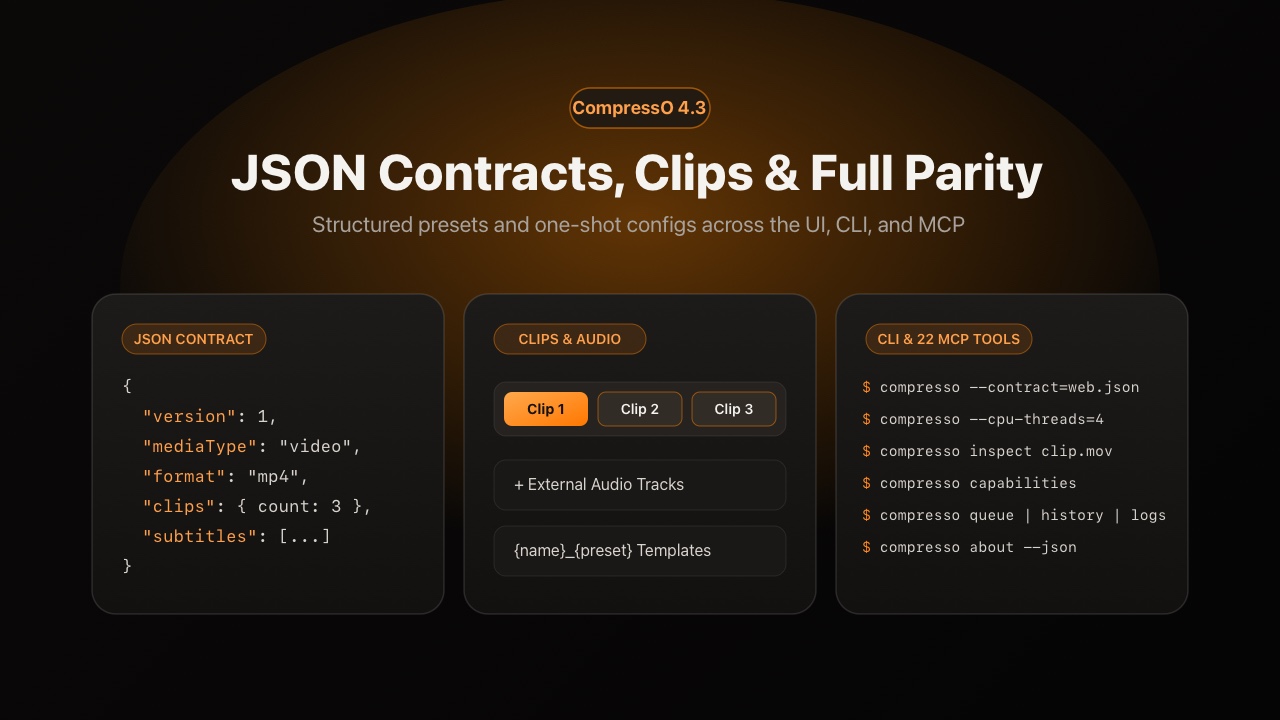
CompressO 4.3 brings a unified JSON Contract across the app, terminal, and AI agents, alongside Clips, external audio tracks, file naming templates, per-job CPU thread limits, and full CLI & MCP tool parity.
As always, CompressO is free, open-source, and runs completely offline. Here is everything new in 4.3.
CompressO JSON Contract
Until now, presets lived purely inside the app UI. With CompressO 4.3, every video, image, and audio configuration speaks one versioned, typed JSON Contract (version: 1).
You can:
- Export your current UI settings (or any batch config) as a
.contract.jsonfile or copy it straight to the clipboard from the top-right action in Output / Batch Settings, complete with a quick Finder / File Explorer reveal button when saved. - Create presets from JSON right inside Settings → Presets (New from contract), with live Validate feedback and
.jsonfile loading. - Automate presets from CLI or MCP: inspect, create, merge-patch, replace, delete, or set default presets (
compresso presets get|create|update|delete|defaultand matching MCP tools). - Run one-shot compressions without saving a preset at all using
--contract=<file|->in the CLI orvideoContract/imageContract/audioContractin MCPcompress.
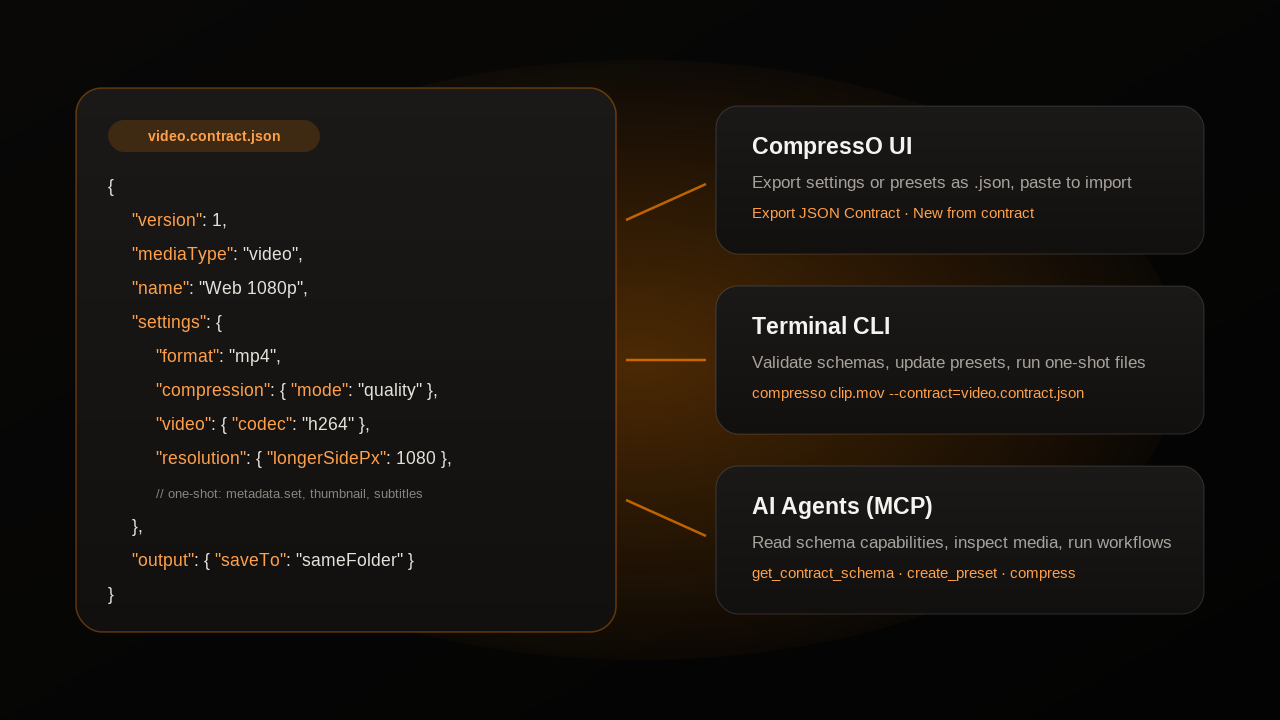
Here is a minimal video contract you can customize or pipe straight into compresso clip.mov --contract=-:
{
  "version": 1,
  "mediaType": "video",
  "name": "Web 1080p",
  "settings": {
    "format": "mp4",
    "compression": { "mode": "quality", "quality": 70 },
    "video": { "codec": "h264" },
    "resolution": { "mode": "longerSide", "longerSidePx": 1080 }
  },
  "output": { "saveTo": "sameFolder" }
}
Preset vs. one-shot fields
| Scope | Supported fields |
|---|---|
| Preset + One-shot | format, compression (quality, targetSize, lossless, none), speed, metadata.mode (strip/keep), video.codec, resolution, fps, transform, hdr, audio (volumePercent, codec, channels, bitrateKbps), clips, svg, output |
| One-shot only (single file or batch) | settings.metadata.set (tag values), settings.video.thumbnail (custom cover art), settings.subtitles |
| UI-only per-file editors | Free pixel crop, straighten tilt, exact width × height, timeline trim, audio track selection |
To inspect the live Draft 2020-12 schema and platform capabilities directly from your installed app, run:
compresso contract schema video
compresso contract validate my-preset.json
Existing presets from earlier versions migrate automatically and non-destructively when you open 4.3, keeping legacy storage intact.
Full CLI & MCP Parity
Both compresso and the stdio MCP server (compresso mcp, now exposing 22 tools) have been expanded for scripting and AI workflows:
- Watched folders (
compresso watch ...): list, add, update (enable/disable and pick video/image/audio presets), and remove watched folders from the terminal or MCP. - Per-job CPU limit (
--cpu-threads=<n>/cpuThreads): throttle CPU encoding threads for a single CLI or MCP job (0uses all logical cores) without changing your global Settings UI value. - Media inspection (
compresso inspect/inspect_media): probe dimensions, codecs, audio/subtitle streams, EXIF, and HDR dynamic range before choosing a contract. - System capabilities (
compresso capabilities/get_capabilities): check available CPU threads, detected hardware encoders, bundled tool status, active log path, and cache state. - Queue, history, cache, logs & about: manage the background queue (
queue,manage_queue), read or clear history (history,get_history,clear_history), safely clear cache while idle (cache clear,clear_cache— automatically blocked during active compressions or open/unsaved media), read logs (logs,get_logs), and check app links & credits (about).
Every CLI and MCP request and failure is logged to CompressO’s log file tagged [cli] or [mcp]. Open Settings → CLI & AI Agents → View Examples to copy any command right away.
Stream-copied Clips
Split a finished video into a chosen number of equal parts, or by exact duration in seconds or minutes (Total clips / Timed clips in the Others tab).
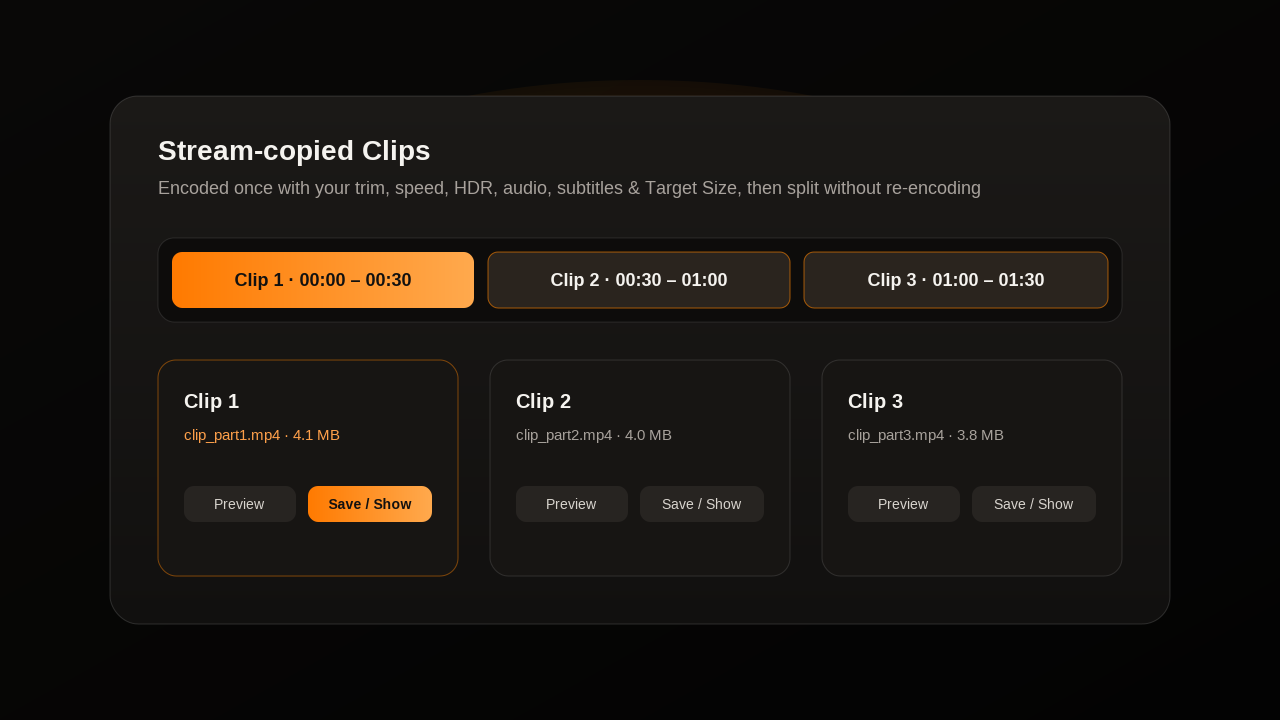
CompressO encodes the video once—keeping trim, speed, Target Size, HDR, audio, subtitles, and custom thumbnails intact—and splits each clip with stream copy. Finished clips appear as individual cards you can preview, copy, or save independently, and Clips settings can be saved in video presets and JSON contracts.
Add Audio to Videos
Attach external audio tracks to any video from its Audio tab—including silent recordings. Added audio starts at the beginning of the video, trims automatically if longer, and counts as an active track so original audio tracks can be deselected.
More Performance & Output Controls
- Maximum CPU cores: Cap how many threads FFmpeg uses during CPU encoding in Settings → General → Performance (hardware acceleration is unaffected).
- File naming templates: Format saved filenames with
{name},{date},{time}, and{preset}in Settings → Output, preset output settings, or--filename-templatein the CLI and MCP server. - Interface & fixes: Double-click batch videos to inspect/configure them, improved portrait video preview sizing, smoothed update download progress, proper handling of MP4 files carrying 0×0 cover art streams, fixed Replace original files when converting formats, 1024-based file size display on Windows Explorer, light-mode fixes for the Drop Zone island, and reliable watched folder command syncing.
You can read every detail in the full changelog.
Get CompressO 4.3
CompressO 4.3 is available for macOS, Windows, and Linux. Existing installations update automatically once released, or you can download it here or install with Homebrew on macOS:
brew install codeforreal1/tap/compresso